Grok Build is a terminal coding agent that can read a project, edit files, and run tools. The command you launch is grok. For a useful first session, install the official client, sign in, check its working directory and permission mode, and ask it to explain a small project before approving a change.[2][8]
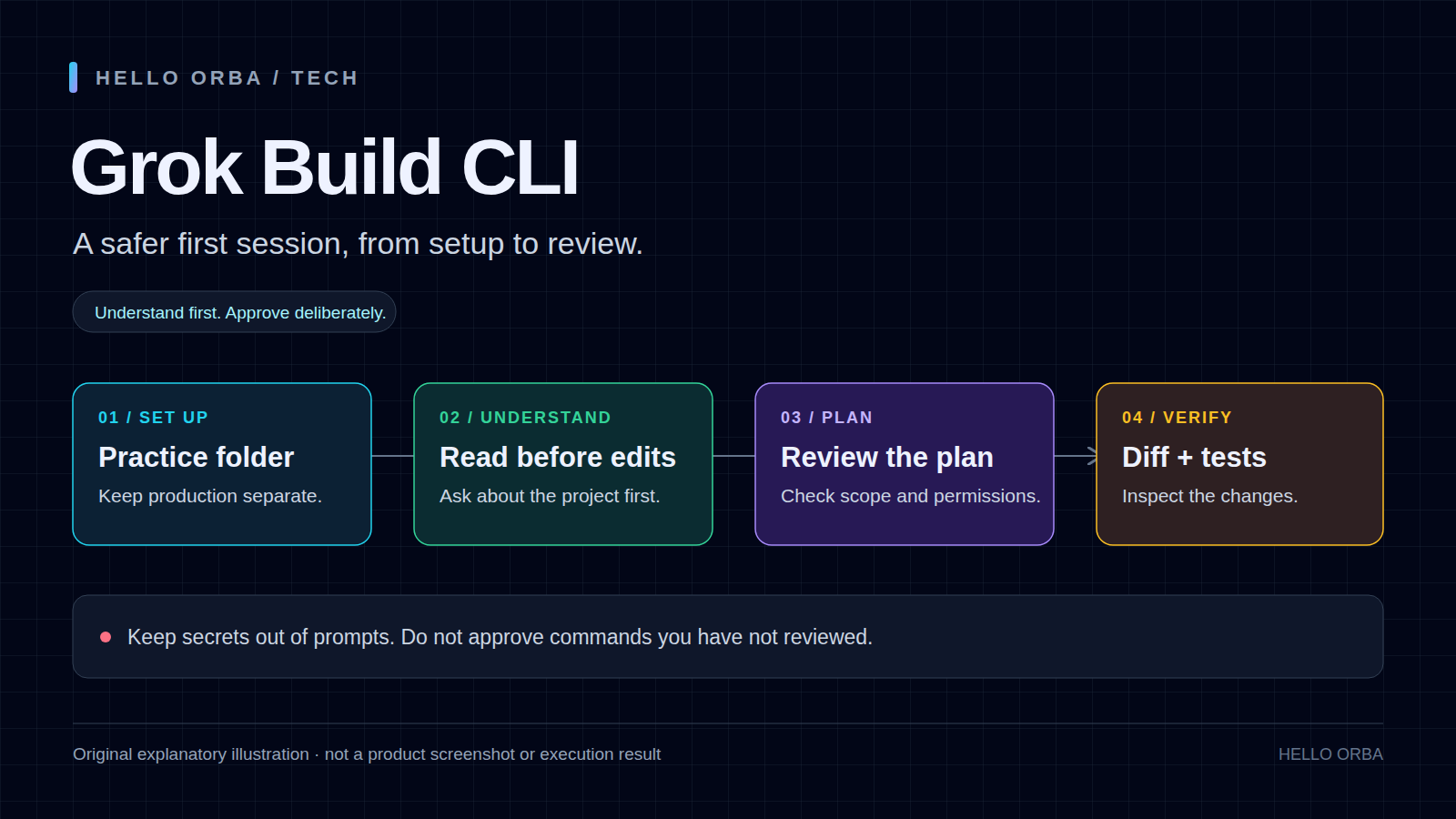
This tutorial covers that first session in detail, then develops a repeatable workflow for model selection, planning, tests, project instructions, reusable skills, and plugin review. It includes two small Python exercises you can reproduce without a framework or third-party Python packages.
Documentation checked October 27, 2026. The screenshots come from the original July 2026 walkthrough and may show older models or menus. CLI instructions below were checked against official documentation, not against a newly installed Grok client. The Python exercise checks are separate local tests; they do not demonstrate how Grok will perform on your project.
1. Grok Build, Grok models, and the web app are different things
A model produces responses. Grok Build supplies the surrounding coding workflow: project context, a terminal interface, file operations, and tool execution. The official repository contains the coding-agent harness and TUI; its first-party code is released under Apache License 2.0, with separate licenses for included third-party code.[8]
| Name | What it refers to | What to check |
|---|---|---|
| Grok Build | The official terminal coding agent | Official installer, client version, permissions, and account access |
| A Grok model | The model selected for a session or API request | The model ID available to your account and its supported settings |
| Grok web or mobile app | A separate conversational product interface | Its own features, account terms, and usage limits |
| A community project named grok-cli | A different implementation mentioned in the source tutorial | Its repository, authentication, and maintenance; do not mix its instructions with this guide |
The original Korean article centers on Grok 4.5. The official overview checked for this revision links to Grok 4.7. Neither an old screenshot nor a model advertised on a documentation page proves which model your CLI account can use. Inspect the actual model list after authentication.[1][2][5]
Keep API token pricing separate from a CLI account’s access conditions. Before using the tool for a long task, check the account, available credits or limits, and whether the chosen authentication route uses a subscription or API billing. This guide does not repeat the original article’s temporary free-access offers as current benefits. The TUI documents /usage for credit usage and billing management.[1][3]
2. Install the official CLI and verify the executable
Prepare an empty practice directory
Use a directory that contains no credentials or valuable work. If the folder you intended to use already has files, inspect it before continuing; do not replace an existing project to reproduce a tutorial. These shell commands create and enter a practice folder on macOS, Linux, or WSL:
mkdir -p ~/grok-cli-lab
cd ~/grok-cli-lab
pwd
Check the printed location yourself. Later, the coding agent’s working directory should be this folder or another repository you deliberately selected, not your entire home directory.
macOS, Linux, and WSL
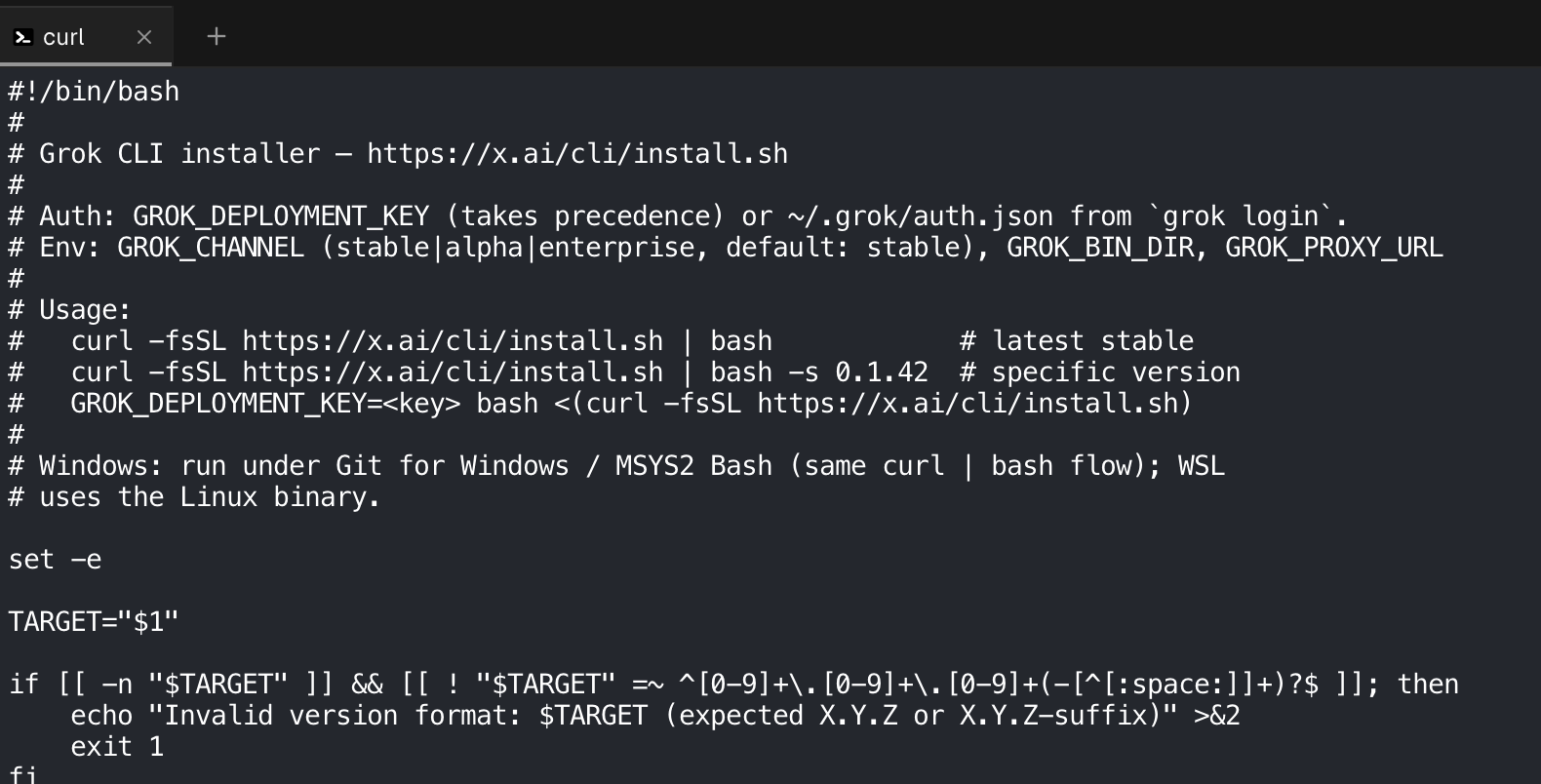
The official Getting Started page provides this Bash command:[2]
curl -fsSL https://x.ai/cli/install.sh | bashIt downloads a script and executes it immediately. A more deliberate review process is to save the script, read it, and run that same downloaded file only if you accept what it does. The commands below are an editorial review workflow, rather than a second installer supplied by the vendor:
curl -fsSL https://x.ai/cli/install.sh -o grok-install.sh
less grok-install.sh
# After reviewing the downloaded script:
bash grok-install.sh
Press q to leave less. Reading a script is not a complete security audit, but it makes changes visible before you approve them. The retrieved installer defaults to $HOME/.grok/bin, supports a GROK_BIN_DIR override, and contains shell-startup changes for PATH discovery. Review these details if you have a managed development environment.[7]
Windows PowerShell
The official guide also provides a native Windows PowerShell command; WSL is not the only documented Windows route:[2]
irm https://x.ai/cli/install.ps1 | iexThis command likewise executes downloaded code. Read the current official instructions and installer first. Do not disable an organization’s execution policy or elevate the entire session simply because a tutorial command did not run. If your repository and development tools live inside WSL, install and invoke the Linux client from that same environment instead of accidentally mixing Windows and WSL paths.
Check PATH and version separately
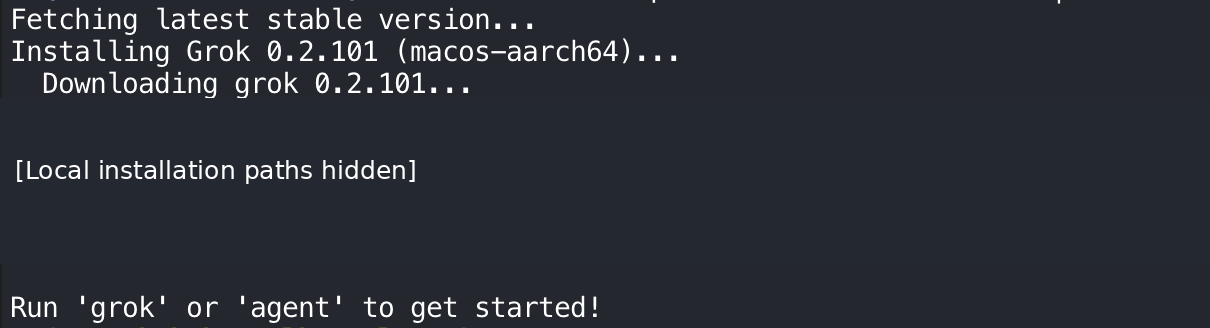
Open a new terminal after installation. On macOS, Linux, or WSL, check both the resolved executable and its version:
command -v grok
grok --version
In PowerShell, use its executable-discovery command:
Get-Command grok
grok --version
The official repository documents grok --version, and the CLI reference lists grok version. Do not expect the version number in a July screenshot to match a later installation.[8][5]
If the Bash-style shell cannot find the client, first reopen the terminal. For the default install location, the following changes PATH for the current shell session:
export PATH="$HOME/.grok/bin:$PATH"
grok --version
That path is inappropriate if you chose another binary directory. Check the installer output rather than adding several guessed locations or repeatedly reinstalling. A successful version command proves the executable starts; it does not prove account access or model availability.
3. Sign in, then check which directory you are trusting
From your practice folder, launch the client:
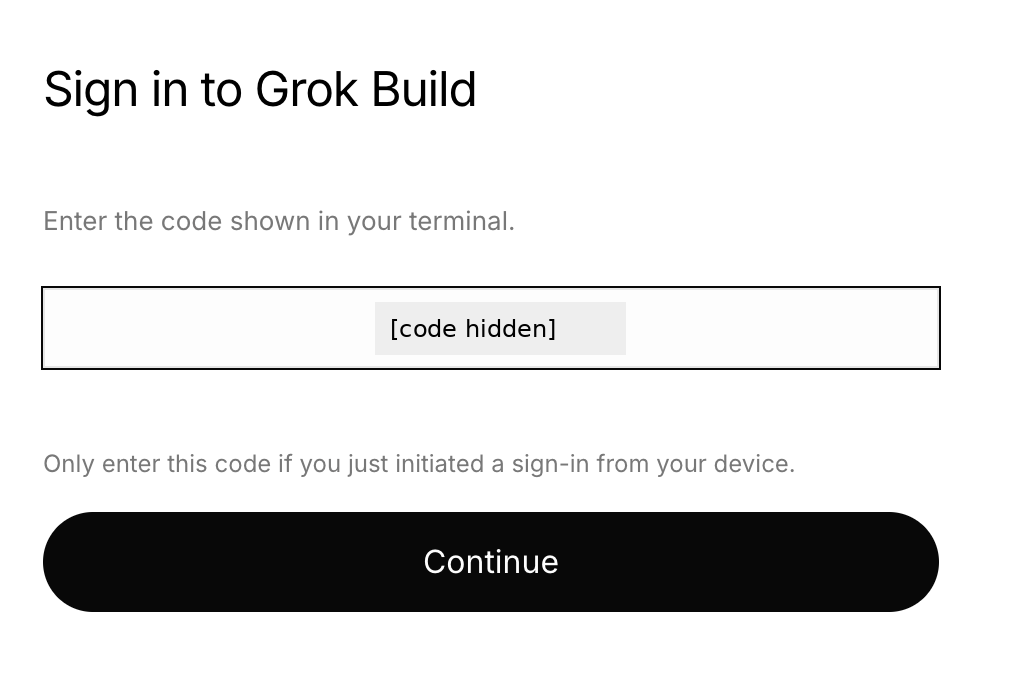
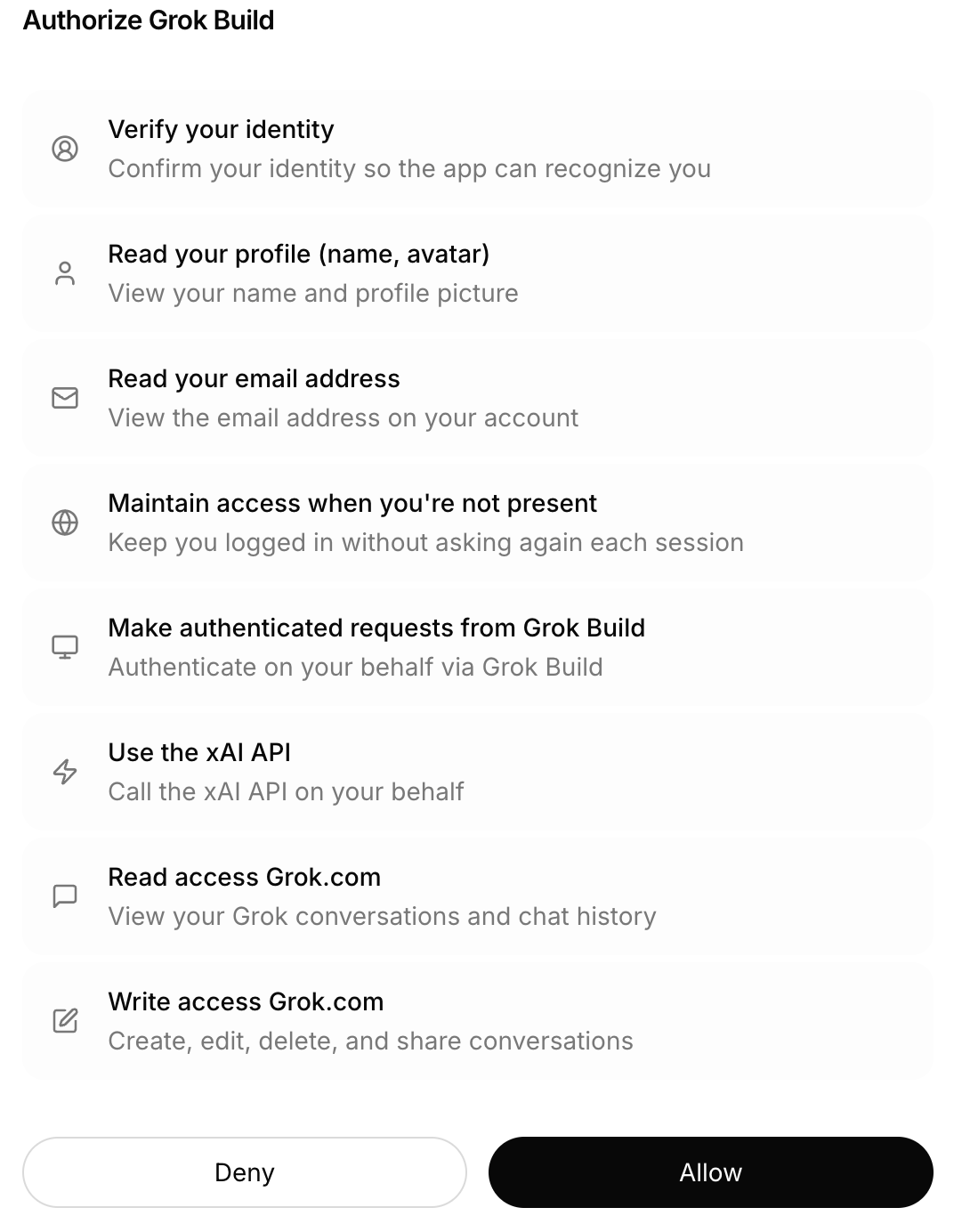
grokThe official guide says first launch opens a browser for authentication. Follow the sign-in you initiated, review the requesting application and permissions, and return to the terminal after authorization.[2] Never reuse a device code from a tutorial image, enter a code sent by a stranger, or paste a real login code into the agent conversation.
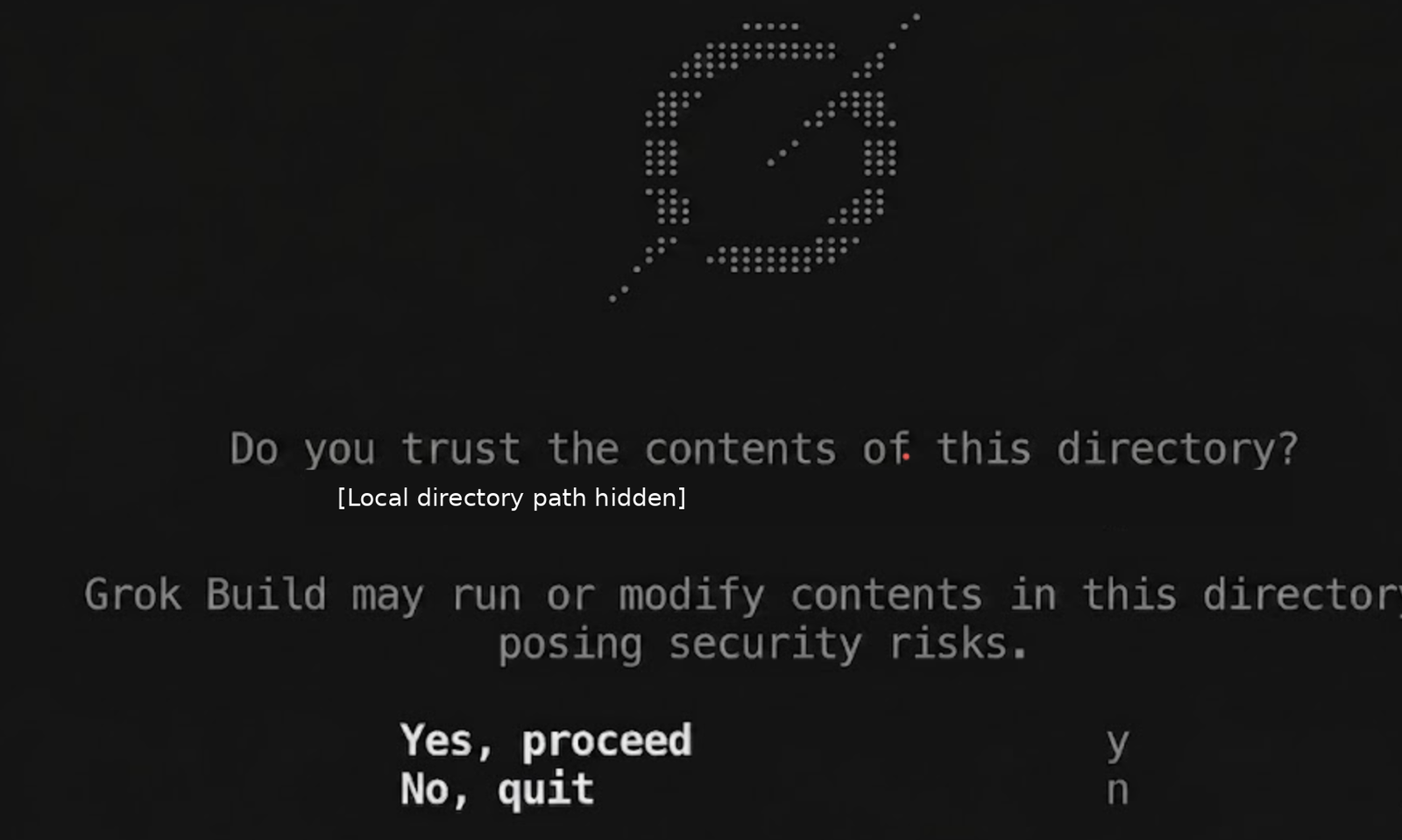
If the terminal displays a directory-trust prompt, read the path before accepting it. A folder’s name alone does not make it safe: it can contain project instructions, hooks, or extensions. Use a project you control for the first exercise and inspect its configuration before enabling additional behavior.[6]
Browser, device-code, and API-key authentication
You can explicitly start account sign-in with grok login. For remote environments, the current CLI reference documents device-code authentication:[5]
grok login --device-authThe Getting Started page separately documents the XAI_API_KEY environment variable for a non-browser route.[2] These are alternatives to assess for your environment, not a sequence of three authentication steps. If an API key is appropriate, provide it through your approved secret store. Do not write the real value in AGENTS.md, a skill, a checked-in configuration file, or an example command that will remain in shell history.
A sign-in success followed by a usage or upgrade message is not necessarily an installation failure. Read the account message, check the current entitlement and billing screen, and verify that you authenticated the intended account before reinstalling anything.
Make the first request small
Say hello in one short sentence.
Do not read or modify files, run tools, or start subagents.
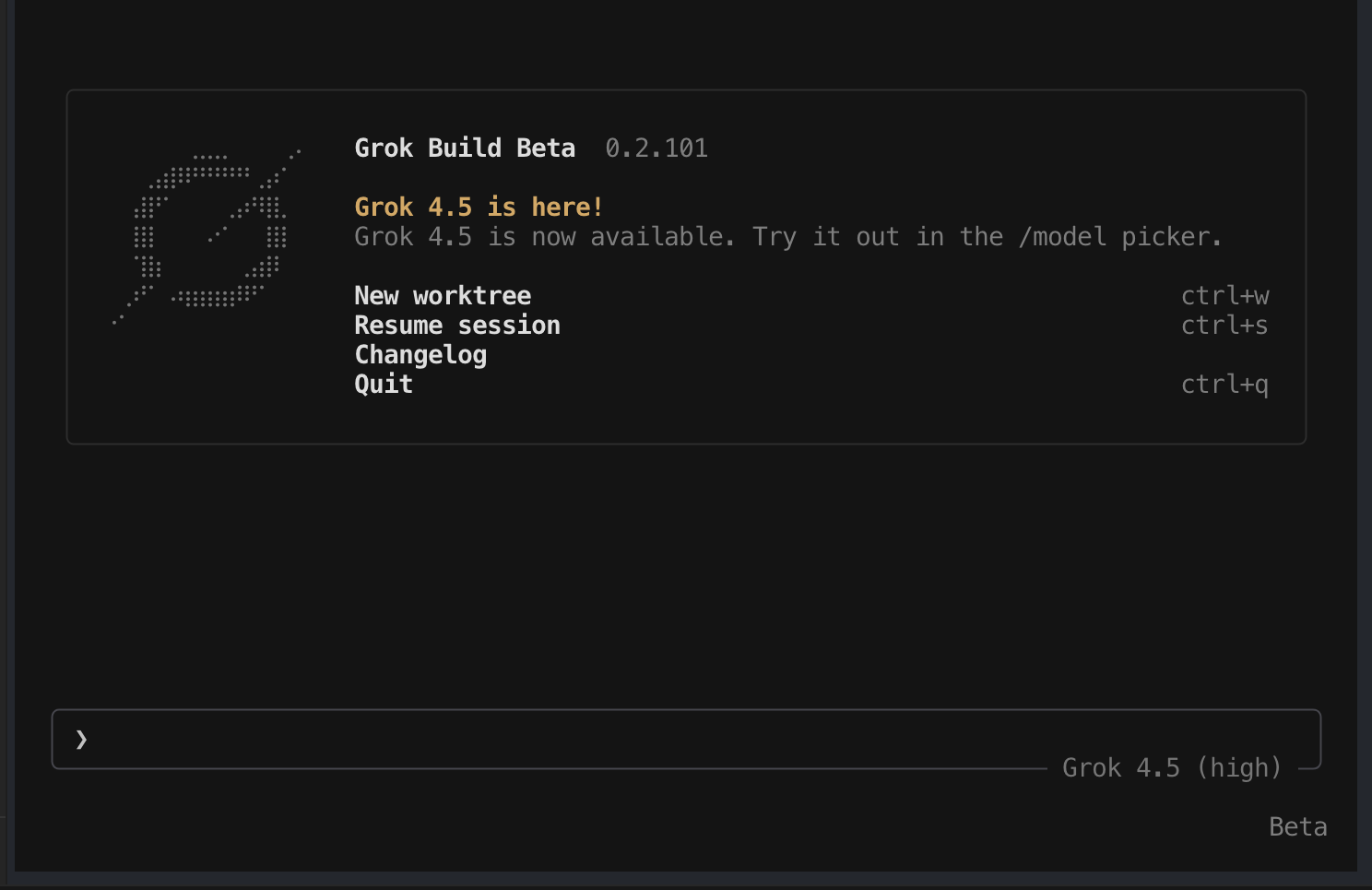
A reply need not match another person’s screenshot. This first request checks basic interaction without deliberately asking the agent to work on your repository. Use /quit or /exit to leave the application.[3] The instruction not to use tools remains a request to the agent, rather than a filesystem isolation guarantee.
4. Distinguish shell commands, slash commands, and file references
Type grok models in your shell, but /model inside the running TUI. Mixing the two is an easy first-day mistake. The CLI reference documents shell subcommands; Modes and Commands covers the interactive command palette.[5][3]
| Where | Command | Purpose |
|---|---|---|
| Shell | grok --help |
Check the installed client’s supported flags |
| Shell | grok models |
List available models |
| Shell | grok inspect |
Inspect discovered rules, skills, plugins, hooks, and MCP servers |
| TUI | /help |
Browse commands and shortcuts |
| TUI | /model, /effort |
Inspect or change model-related settings |
| TUI | /plan, /view-plan |
Prepare and reopen a plan |
| TUI | /usage, /context |
Check usage information and conversation context |
| TUI | /skills, /plugins |
Open the corresponding extension-management tab |
| TUI | /resume, /quit |
Resume previous work or exit |
The official shortcuts page documents Ctrl+P for the command palette and Shift+Tab for cycling session modes. Watch the displayed mode instead of memorizing a fixed number of keypresses; the cycle can include Auto when that feature is available.[4]
A file reference such as @README.md gives the agent a specific starting point. Use a path that actually exists in the selected repository. A reference improves context; it does not, by itself, prohibit the agent from accessing other files.[2]
5. Choose the model first, then choose its reasoning effort
Inspect what your account can use
Start with the shell’s model list or the TUI picker rather than a model ID copied from an old article:
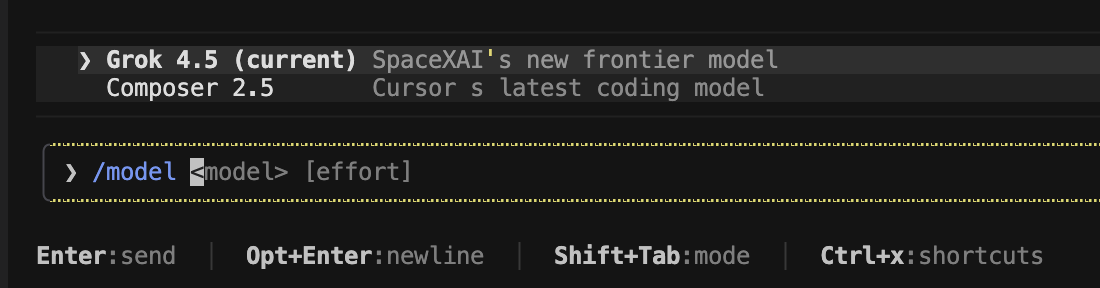
grok models/modelOnce you have confirmed a model is available, /model <name> changes the session model. The shell also supports -m or --model when starting a session.[3][5] For example, use the following only if grok-4.7 appears as an available choice in your client:
grok -m grok-4.7 --effort mediumThe historical picker below shows Grok 4.5 and another option available during the original walkthrough. It is an illustration of the selection interface, not an account-availability list for today.
What effort changes, and what it does not
The official reasoning documentation describes effort as the amount of reasoning a model spends before responding. For the documented Grok 4.5, 4.6, and 4.7 API models, high is the default and reasoning cannot be disabled. The page lists xhigh for 4.6 and later, while the 4.5 summary lists low, medium, and high.[13] Those API details do not guarantee that every installed CLI exposes the same picker or accepts every value; check the selected model in your client.
| Setting | Practical starting point | What to watch |
|---|---|---|
low |
A short file summary or a narrow lookup | Whether the answer misses dependencies or important context |
medium |
A routine implementation with clear requirements | Whether the resulting change and tests satisfy those requirements |
high |
An ambiguous bug or a change involving several interacting modules | Extra delay and reasoning usage, without assuming correctness |
xhigh, if supported |
A particularly difficult problem where additional reasoning is worth evaluating | Model support and whether the extra effort improves your actual result |
These are workflow suggestions, not benchmark rankings. Increasing effort does not grant extra tool permissions, add missing project context, or prove an answer is right. The API documentation also states that reasoning tokens are billed as part of consumption; a CLI plan’s visible usage and limits need to be checked separately.[13]
/effort mediumChange one setting at a time. If you switch from a simple summary to a difficult refactor, consider a higher supported effort level, but still inspect the plan and tests. If a setting is unavailable, use the client’s documented options rather than forcing a value copied from a different model.

6. Use Plan mode without mistaking it for a sandbox
Grok Build has permission modes that decide whether tool calls require approval. The official permissions page identifies Ask as the default. Auto uses a classifier for approvals when available, and Always-approve skips approval prompts while deny rules and applicable hooks still apply.[9]
| Control | Meaning | First-session approach |
|---|---|---|
| Ask / Normal | Prompt for actions that are not already allowed | Keep it while learning the tool; inspect each requested action |
| Auto | A classifier can approve tools, with dangerous operations still potentially prompting | Do not assume its judgment replaces your review |
| Always-approve | Skip approval prompts within the remaining rules and hooks | Avoid using it to get past an unfamiliar prompt |
| Plan | Restrict edit tools to the plan file until plan approval | Use it to review the scope of a change before implementation |
Plan mode is independent of the permission mode. According to the official caveats, shell commands still follow permissions and can write through redirection; subagents are not restricted by the parent’s plan edit gate. The operating-system sandbox is another separate control.[10][9] For an unfamiliar repository, do not combine broad shell approvals, unrestricted child agents, and a belief that Plan mode makes everything read-only.
Request, review, and revise a plan
Suppose a project already has a health endpoint. This request gives the agent a target, boundaries, and a reason to stop if your assumption is wrong:
/plan Add a version field to the existing health-check response.
Identify the version source, affected files, and regression tests.
Preserve the existing status field and HTTP behavior.
Do not install dependencies, change deployment configuration, or commit.
If this project has no health endpoint, stop and explain that gap.
The documented plan-review keys are a to approve and build, s to request changes, c to comment, and q to abandon the plan. /view-plan reopens the preview.[10] Read the plan before pressing the approval key. It should identify an actual version source and tests, rather than invent a release system or add a framework for a small response change.
If the plan includes unrelated cleanup, request a narrower revision. Useful feedback is specific: “Do not refactor the router; change only the response helper and its existing tests.” Approval permits the proposed work; it is not evidence that the work has already succeeded.
7. Ask the agent to explain the repository before it edits
Exit the practice session and enter the repository you intend to use. Before launching the client, inspect your own current work:
pwd
git status --short
grok
Skip the Git command if the directory is not a Git repository; do not initialize or alter someone else’s repository merely to follow this step. If it contains uncommitted changes, note which are yours and tell the agent to preserve them.
Read README.md and the package or build manifest, if present.
Explain the project, its entry points, and its documented test command.
List what you could not determine from those files.
Do not edit files, install dependencies, execute tests, or launch subagents.
For a tighter question, reference a known file:
@README.md Explain how to run the test suite described here.
Do not execute commands or modify files.
Check the explanation against the files. A useful answer distinguishes “the README says to run this” from “I ran it successfully.” If there is no documented test command, the agent should report that gap rather than assume npm test or pytest. The next exercise avoids that uncertainty by supplying a small, complete test fixture.
8. Exercise: change a health-response helper with a regression test
This exercise isolates a response-building function from any real HTTP server. It does not deploy an endpoint or connect to a database. You need Python 3 and an editor; the sample uses only the standard library. Place the files in a new practice folder, not in a production project.
Create the starting implementation
Save this as app.py. It accepts a version argument but does not yet include that value in the returned response:
def health_payload(version):
    return {"status": "ok"}
Save the following complete test file as test_app.py. The first test protects existing behavior. The second expresses the new requirement.
import unittest
from app import health_payload


class HealthPayloadTests(unittest.TestCase):
    def test_status_is_ok(self):
        self.assertEqual(health_payload("0.1.0")["status"], "ok")

    def test_version_matches_input(self):
        self.assertEqual(health_payload("1.2.3")["version"], "1.2.3")


if __name__ == "__main__":
    unittest.main()
Establish what already works and what fails
Run just the existing-behavior test first, then the complete test module:
python3 -m unittest -v test_app.HealthPayloadTests.test_status_is_ok
python3 -m unittest -v test_app
With the starting implementation, the status check passes and the version check raises KeyError: 'version'. That is the intended failing condition: the requested field does not exist. These checks were reproduced locally for this guide with Python 3.14.9; they are not a transcript of Grok’s work.
Give Grok a narrow implementation task
Launch Grok in the folder containing those two files and ask for a plan:
/plan Read app.py and test_app.py.
Update health_payload so its response includes the supplied version.
Change only app.py; do not weaken or rewrite the supplied tests.
Preserve the existing status field. Add no dependencies.
After approval, run python3 -m unittest -v test_app.
Report the actual result. Do not commit, push, or deploy.
A suitable plan should recognize that this is a response-helper change, not an invitation to create a web application. If the plan proposes installing Flask, replacing the tests, or hard-coding the input 1.2.3, request a revision before approving.
Once you approve, read the edit and the test result. The minimal reference implementation is:
def health_payload(version):
    return {"status": "ok", "version": version}
Both tests pass with that implementation in the local fixture. A real agent may produce different formatting; compare behavior and scope instead of looking for an identical answer. The version must come from the argument, and the status field must remain intact.
Review the change rather than accepting a completion message
git status --short
git diff --stat
git diff
python3 -m unittest -v test_app
In a new practice repository, untracked files do not appear in the normal diff. Inspect git status, read those files directly, or make your own baseline commit before the exercise if you want a versioned before-and-after comparison. Do not interpret an empty diff as proof that nothing changed.
This tiny test suite protects two requirements, not an entire API. When applying the pattern to a real endpoint, add checks for the response schema, HTTP status, existing clients, and the project’s actual version source. A helper unit test cannot establish deployment health or backward compatibility on its own.
9. Exercise: reproduce a bug before asking for a fix
A reproducible bug gives the agent a better starting point than “this function looks wrong.” Consider a helper whose agreed input is a list of strings. It should trim whitespace, lowercase each tag, discard blanks, and remove duplicates while preserving the first-seen order.
Save this intentionally incomplete implementation as tags.py:
def normalize_tags(values):
    return [value.strip().lower() for value in values if value]
It handles ordinary trimming, but a whitespace-only string survives the initial condition and becomes an empty tag. Repeated tags remain repeated. Save the following as test_tags.py:
import unittest
from tags import normalize_tags


class NormalizeTagsTests(unittest.TestCase):
    def test_trims_and_lowercases(self):
        self.assertEqual(normalize_tags([" Python ", "CLI"]), ["python", "cli"])

    def test_discards_blank_tags(self):
        self.assertEqual(normalize_tags(["", "   "]), [])

    def test_keeps_first_seen_order_without_duplicates(self):
        self.assertEqual(
            normalize_tags([" CLI ", "python", "cli", "PYTHON"]),
            ["cli", "python"],
        )


if __name__ == "__main__":
    unittest.main()
Run python3 -m unittest -v test_tags. In the local starting fixture, trimming passes while blank removal and duplicate removal fail. Now the request can name a reproducible defect:
@tags.py @test_tags.py
Explain why the blank-tag and duplicate-order tests fail.
Propose the smallest fix, then wait for approval before editing.
Keep the input contract as a list of strings.
Do not change tests, sort the output, install packages, or commit.
Review the diagnosis before permitting a change. Sorting a set would remove duplicates but violate the first-seen-order requirement. Silently accepting integers or None would add behavior that was never requested.
The following reference implementation passes the three supplied tests locally:
def normalize_tags(values):
    result = []
    seen = set()
    for value in values:
        tag = value.strip().lower()
        if tag and tag not in seen:
            result.append(tag)
            seen.add(tag)
    return result
For a larger bug, carry the same sequence forward: preserve the failing input, reproduce the failure, agree on the intended behavior, make a small fix, and rerun both the new regression test and the relevant existing suite. If the agent cannot reproduce the error, its explanation remains a hypothesis.
10. Ask for a code review without authorizing another rewrite
After implementation, a review-only pass can catch issues that a successful unit test misses. State that you want findings, not edits:
Review the current working-tree diff for correctness and missing tests.
Do not modify files, run tools that change state, or start subagents.
For each finding, give the file and line, triggering input, expected behavior,
and a way to verify the problem. Separate confirmed findings from hypotheses.
If you cannot support a finding, omit it rather than inventing one.
Inspect both unstaged and staged changes yourself when applicable:
git diff
git diff --cached
git status --short
For the tag example, useful review questions include whether blank strings disappear, whether order is stable, and whether the implementation mutates its input. A vague recommendation to “improve error handling” is not a demonstrated defect. Ask which allowed input fails and which test would catch it.
Keep review and implementation separate when preserving another person’s work. If the review uncovers an issue worth fixing, authorize that particular change rather than letting a review request turn into a general refactor.
11. Put repeatable project instructions in AGENTS.md
The current project-rules documentation says Grok loads Markdown instructions for the directory tree. A repository-root AGENTS.md can hold coding conventions and test commands; deeper instruction files take precedence on conflicts within their scope. Use grok inspect to see what the client discovered.[12]
For the Python practice folder, an instruction file can be concrete because the files and test command are known:
# Practice project instructions

## Scope
- This is a Python standard-library exercise, not a deployed service.
- Preserve unrelated working-tree changes.
- Do not add packages or change the input contracts without approval.

## Checks
- Run: python3 -m unittest -v
- Keep regression tests for status, version, blank tags, and tag order.
- Report the command, exit status, and any checks that could not run.

## Boundaries
- Do not read credentials or copy private data into prompts or reports.
- Do not commit, push, deploy, or change account settings without approval.
For your own repository, replace the practice commands with its real commands and explain any important architecture constraints. A Java service, a Node application, and a Python library should not inherit the same guessed test instruction.
Run grok inspect from the directory where you intend to work. Confirm the expected instruction files appear, then ask the agent to summarize the applicable rules without editing files. If instructions are missing, check their location and ignore rules before assuming the client ignored them: the documentation says files excluded by .gitignore are skipped.[12]
Do not put a long collection of unrelated instructions in the root file. Shared rules belong there; package-specific instructions belong near the package. Also remember that an instruction saying “never deploy” is not an operating-system permission boundary. Keep actual permissions and secret access appropriately restricted.
12. Create a reusable skill for a job you already understand
A project instruction describes how work should be done in general. A skill packages a particular repeatable procedure, such as reviewing a diff. The official documentation lists project .grok/skills/ directories, the user-level ~/.grok/skills/ directory, and enabled plugin skill directories among discovery locations.[6]
A manual skill example
For a project-only review procedure, create .grok/skills/review-change/SKILL.md in your practice repository. Use an editor to save this content:
---
name: review-change
description: Review the current diff for reproducible bugs and missing tests without editing files.
user-invocable: true
disable-model-invocation: true
---

# Review a change

1. Read the current diff and the relevant project instructions.
2. Identify behavior changes and the tests that cover them.
3. Report reproducible correctness issues with file and line references.
4. Separate confirmed problems from questions requiring more evidence.
5. Do not edit files, install packages, commit, push, or deploy.
6. If a check cannot run, report why instead of claiming it passed.
The documented user-invocable field controls slash-command availability, and disable-model-invocation: true makes the skill slash-command-only. Use literal YAML true and false values rather than substituting yes or quoted lookalikes. These details describe the current documented format, not a promise that every older release behaves identically.[6]
Check discovery before relying on the skill
grok inspect/skills
/review-changeCheck that the client finds the intended file and displays the command. If an existing skill uses the same name, the documentation gives qualified command names as a way to disambiguate them; inspect your own menu rather than assuming a particular prefix.[3]
The allowed-tools field is an especially important trap: the current Grok skill documentation says it does not grant or restrict tools. A skill’s wording is not a substitute for tool permission rules.[6] Review the skill text, keep permission prompts, and test it on a small change before treating it as a routine.
The original article mentions helpers such as /create-skill and /check-work. Those names may depend on installed skills. Use /help, /skills, and grok inspect to discover what your client actually has instead of assuming those helpers are universal built-ins.[1][3]
13. Understand what a plugin adds before you install it
A plugin can contain skills, agents, hooks, MCP servers, and LSP servers. A marketplace is a source from which plugins can be discovered and installed. They are not interchangeable names for a Markdown prompt. Hooks can execute scripts during tool or session lifecycle events, so a plugin can affect more than the visible slash-command list.[6]
Start by inspecting the current environment:
grok plugin list
grok inspect
grok plugin install --help
The CLI reference documents plugin-management subcommands, including list, install, enable, disable, and details.[5] Check the installed client’s help for exact arguments; this guide does not invent a repository name or tell you to install an unreviewed plugin just to fill an example.
- Open
/marketplaceor/pluginsand check which sources are configured. - Choose a plugin for a specific need, not merely because it has a long feature list.
- Read its source, configuration requirements, hooks, external services, and requested credentials.
- Check whether it introduces a paid service or sends project data elsewhere.
- Install only after you accept that scope, then inspect what the client discovers.
- Try one small task in a disposable repository before using it on valuable work.
The documented extension commands open tabs of a shared management interface, so a missing plugin or skill may be a discovery or configuration issue rather than a different application screen.[3] Avoid copying trust flags from unrelated installation guides; decide which code and services you are trusting first.
14. Resume a task deliberately; automate only after the workflow is clear
Continue the correct conversation
The official session guide describes local conversation storage under ~/.grok/sessions/, keyed by working directory, including prompts, responses, tool calls, and file snapshots. Treat that directory as potentially sensitive development data.[14]
Inside the TUI, use /resume to select a previous session. From the shell, grok --resume resumes the most recent session for the current directory, and grok -c is a continuation shorthand.[14] Confirm the repository and session title before continuing a request that may edit files.
grok sessions list
grok --resume
A resumed conversation can be out of date if you or another tool changed files since the last turn. Ask the agent to inspect the current state before implementing the old plan. Do not use /rewind as if it only rewinds text: the documented behavior restores files and truncates the conversation, so it can remove later edits.[14]
Try a bounded headless request
Headless mode uses -p for one prompt and supports plain, json, and streaming-json output. It is intended for machine-friendly use, not as a shortcut around authentication or tool permissions.[11]
grok -p "Read README.md and summarize its setup instructions. Do not edit files, run shell commands, or start subagents." --output-format jsonThis is a documented invocation pattern, not a recorded successful model call. A JSON response does not prove the proposed tests ran. Before using headless mode in CI, define the working directory, authentication, allowed tools, turn or spending limits, failure handling, and which output constitutes success.
The CLI reference documents controls such as --max-turns, tool allow/disallow options, and feature-disable flags.[5] Check their exact installed behavior rather than adding --always-approve because an unattended run stopped at a prompt. ACP, invoked with grok agent stdio, is a separate integration route using JSON-RPC over standard input and output.[11]
15. Troubleshoot the symptom you can observe
| Symptom | Check first | Next step |
|---|---|---|
grok is not found |
Executable location, PATH, shell restart, Windows versus WSL | Use the actual installer location; do not reinstall blindly |
| The client starts but cannot authenticate | Whether this environment can open a browser and which account you selected | Consult the documented device-auth or approved API-key route |
| Authentication succeeds but usage is blocked | The displayed account, entitlement, quota, or billing message | Resolve that condition; an old trial screenshot is not proof of eligibility |
| A model or effort option is missing | grok models, the current picker, and installed help |
Use a supported available choice rather than an old fixed model ID |
| The agent reads the wrong project | Your working directory and discovered instructions | Stop and relaunch in the intended directory before approving edits |
| A skill command is absent | File path, YAML booleans, discovery output, name conflicts, and client version | Confirm the skill is discovered before trying repeated prompts |
| A test cannot import its module | Current folder, filenames, interpreter, and the repository’s real command | Run the supplied practice tests from the directory containing their modules |
| The agent proposes unrelated cleanup | The plan’s scope and affected files | Reject that part and request a narrower implementation |
| Tests pass but behavior is wrong | Which input and requirement the tests actually cover | Add a reproducer and regression check instead of treating a green summary as complete proof |
| A headless run blocks on approval | Its permission rules and the requested action | Review the operation; do not automatically bypass prompts |
When asking for help, include the command, client version, operating environment, relevant error, and the smallest reproduction you can share. Remove API keys, device codes, customer data, and private paths before posting logs. Explain whether the failure occurs during installation, login, model access, or a project tool call; those are different stages.

Do I need an API key for an ordinary desktop session?
Not necessarily. The current official guide documents browser authentication on first launch and an API-key option for non-browser use.[2] Choose the approved route for your account and environment; do not generate or paste a key merely because another tutorial uses one.
Does choosing high effort make a change safer?
It changes reasoning effort, not filesystem access or the correctness of the test suite. A carefully scoped low-effort summary can be appropriate; a high-effort implementation can still be wrong. Review permissions, the actual diff, and the checks independently.[13]
Should I install every recommended skill or plugin?
No. First establish a small workflow you can evaluate. Add a skill when you repeat a known procedure; consider a plugin when you need its specific capabilities and accept the code, hooks, services, and data access it introduces.
What is a reasonable stopping point for the first day?
Verify the client launches, understand authentication and the working directory, run one narrow request, and exit deliberately. For a first coding task, use a change small enough to inspect completely. The health-response exercise gives you an existing-behavior check, a failing new requirement, and a reference fix without adding deployment risk.
Sources, screenshot credit, and test scope
This expanded English guide adapts the teaching topics in goddaehee’s original Grok Build installation and usage article.[1] The ten UI captures come from that July 2026 walkthrough, with sensitive codes and local paths hidden where needed. The opening workflow artwork was created for Hello Orba and is not a Grok screenshot.
The two Python fixtures were checked locally with Python 3.14.9: the health-response exercise has two tests, and tag normalization has three. Their starting failures and corrected passing states were checked separately. The CLI, authentication, model-selection, skill-discovery, and plugin instructions are based on the cited official pages; no Grok installation, login, paid model request, or live Grok execution was performed for this guide.
References
- Original goddaehee Grok Build tutorial
- Grok Build Getting Started
- Modes and Commands
- Keyboard Shortcuts
- CLI Reference
- Skills, Plugins & Marketplaces
- Official Bash installer (retrieved, never executed)
- Official Grok Build GitHub repository
- Permissions
- Plan Mode
- Headless & Scripting
- AGENTS.md project rules
- Reasoning effort
- Sessions